Microsoft have just announced the availability of Update Rollup 4 (UR4) for System Center 2012 SP1 but there have been some issues with the SCSM component of the update and it had to be pulled back. See this update from Microsoft's Christian Booth:
http://blogs.technet.com/b/servicemanager/archive/2013/10/22/service-manager-2012sp1-ur4-availability.aspx
SCOM and SCVMM both get a number of fixes in this update and it looks like definitely worthwhile rolling out, but you might want to hang on a while and keep an eye out for any gothca's that people might post about over the coming week or two. As is the case with previous UR's, these will start coming down through Windows Update over the next few days, so make sure you're ready for it or at least have it staged for testing through WSUS or ConfigMgr.
Here's a link to the full description for Update Rollup 4 (UR4):
http://support.microsoft.com/kb/2879276
You can also manually download the relevant bits that you're interested in by using the above link.

Kevin Greene's IT Blog. This is a blog about all things Cloud and Datacenter!
Showing posts with label System Center 2012 SP1. Show all posts
Showing posts with label System Center 2012 SP1. Show all posts
Wednesday, October 23, 2013

Sunday, September 8, 2013
SCOM - New SQL Management Pack and Summary Dashboard Released
Microsoft has just released a new management pack update for monitoring SQL. We first got a preview of this management pack at the Microsoft Management Summit (MMS 2013) in Las Vegas during the Workloads: Managing Windows, IIS & SQL Technologies session and since then, we've been waiting in earnest for it's release - mainly because of the new SQL Server 2012 Summary dashboard that comes bundled with it.
The release of this MP is a bonus for me as it's just in time for me to be able to include it into my demo for my upcoming session at System Center Universe 2013 DACH.
Here's a screenshot of what the new dashboard looks like (keep in mind that this dashboard will only run on SQL 2012 databases):

The new MP comes with some additional monitors, rules and all round improvements - here's a list of them taken directly from the MP guide:
http://www.microsoft.com/en-us/download/details.aspx?id=10631
As always, make sure you read the guide from front to back (this is a big one!) and test the MP out first before deploying into production.
The release of this MP is a bonus for me as it's just in time for me to be able to include it into my demo for my upcoming session at System Center Universe 2013 DACH.
Here's a screenshot of what the new dashboard looks like (keep in mind that this dashboard will only run on SQL 2012 databases):

The new MP comes with some additional monitors, rules and all round improvements - here's a list of them taken directly from the MP guide:
- Collect DB Active Requests count
- Collect DB Active Sessions count
- Collect DB Active Transactions count
- Collect DB Engine Thread count
- Thread Count monitor
- Transaction Log Free Space (%) monitor
- Transaction Log Free Space (%) collection
- Collect DB Engine CPU Utilization (%)
- CPU Utilization (%) monitor for DB engine
- Buffer Cache Hit Ratio monitor
- Collect DB Engine Page Life Expectancy (s)
- Page Life Expectancy monitor
- Collect DB Disk Read Latency (ms)
- Collect DB Disk Write Latency (ms)
- Disk Read Latency monitor
- Disk Write Latency monitor
- Collect DB Transactions per second count
- Collect DB Engine Average Wait Time (ms)
- Average Wait Time monitor
- Collect DB Engine Stolen Server Memory (MB)
- Stolen Server Memory monitor
- Collect DB Allocated Free Space (MB)
- Collect DB Used Space (MB)
- Collect DB Disk Free Space (MB)
- SQL Re-Compilation monitor
- SPN monitor improved
- Support for special symbols in DB names.
- Improved AlwaysOn seed discovery
- Run As configuration changes to support Low privilege for SQL Server 2012 Cluster
- Improved performance of AlwaysOn discovery
- Custom User Policy Discovery and Monitoring performance optimization
- Hid AG health object from Diagram view
http://www.microsoft.com/en-us/download/details.aspx?id=10631
As always, make sure you read the guide from front to back (this is a big one!) and test the MP out first before deploying into production.
Thursday, August 29, 2013
New System Center 2012 - Orchestrator Book Available Now!
This blog has been real quiet of late due to me putting the finishing touches to our upcoming "Mastering Windows Server 2012 R2" book, but I wanted to do up a quick post here to highlight another book which was authored by some really good friends of mine in the System Center community.

This book is based on System Center 2012 - Orchestrator and is an excellent place to go to learn about Microsoft's automation solution in the System Center suite. Here's an excerpt from the book's description:
"Microsoft System Center Orchestrator 2012 simplifies the process of automating systems administration tasks. Originally a third-party product named Opalis, which Microsoft acquired in 2009, Orchestrator provides a simplified way of building complex automation. System Center Orchestrator is a complete solution that goes beyond basic automation.
"Microsoft System Center 2012 Orchestrator Cookbook" will teach you how to plan, create and manage powerful runbooks to help you automate mission-critical and routine administration tasks.
In this practical Cookbook you will learn how to master System Center 2012 by creating runbooks to control and automate every feature possible. You will start by learning how to efficiently install and secure System Center Orchestrator."
I've just purchased a copy and you can get your own copy of the book today in 'dead-tree' format from here or in electronic format from here.
Enjoy!

This book is based on System Center 2012 - Orchestrator and is an excellent place to go to learn about Microsoft's automation solution in the System Center suite. Here's an excerpt from the book's description:
"Microsoft System Center Orchestrator 2012 simplifies the process of automating systems administration tasks. Originally a third-party product named Opalis, which Microsoft acquired in 2009, Orchestrator provides a simplified way of building complex automation. System Center Orchestrator is a complete solution that goes beyond basic automation.
"Microsoft System Center 2012 Orchestrator Cookbook" will teach you how to plan, create and manage powerful runbooks to help you automate mission-critical and routine administration tasks.
In this practical Cookbook you will learn how to master System Center 2012 by creating runbooks to control and automate every feature possible. You will start by learning how to efficiently install and secure System Center Orchestrator."
I've just purchased a copy and you can get your own copy of the book today in 'dead-tree' format from here or in electronic format from here.
Enjoy!
Wednesday, July 24, 2013
System Center 2012 SP1 Update Rollup 3 is Now Available for Download!
Microsoft have just announced that Update Rollup 3 (UR3) for System Center 2012 SP1 has dropped and is available for download. There's a number of fixes for AppController, DPM and SCOM.
Here's an overview of what's fixed in this update for each product:
App Controller (2012 SP1) Update (KB2853227)
Issue 1
Connection address must be a fully qualified domain name.
This problem may occur when the fully qualified domain name (FQDN) contains a hyphen (-) in the last part of the name.
Issue 2
Additionally, you receive the following error message:
Retrieved data is incomplete.
When you click More details, you receive a "Service Unavailable" message. You may also receive a "Requested value 'A6' was not found" message.
Issue 3
(407) authentication required.
Note App Controller does not use configured proxy settings.
Issue 4
Operations Manager (SCOM 2012 SP1) - UNIX and Linux Monitoring (Management Pack Update)
Issue 1
Issue 2
Issue 3
You can choose to install these updates either automatically through Windows Update (recommended) or manually by clicking on the relevant download links from the official KB article on UR3 here:
http://support.microsoft.com/kb/2836751
As always though, make sure to read through the installation instructions for each product and understand what's involved.
Here's an overview of what's fixed in this update for each product:
App Controller (2012 SP1) Update (KB2853227)
Issue 1
- When you try to add a Microsoft System Center 2012 Virtual Machine Manager (VMM) connection by using either the UI or a Windows PowerShell command, the connection is unsuccessful. Additionally, you receive the following error message:
Connection address must be a fully qualified domain name.
This problem may occur when the fully qualified domain name (FQDN) contains a hyphen (-) in the last part of the name.
Issue 2
- When a Windows Azure subscription contains a high-memory (A6 or A7) Windows Azure virtual machine, Azure functionality is not available in Microsoft System Center 2012 App Controller.
Additionally, you receive the following error message:
Retrieved data is incomplete.
When you click More details, you receive a "Service Unavailable" message. You may also receive a "Requested value 'A6' was not found" message.
Issue 3
- When you try to use App Controller together with a proxy server, you receive the following error message:
(407) authentication required.
Note App Controller does not use configured proxy settings.
Issue 4
- When you view the network properties of a deployed virtual machine and then click OK, the network connection is set to None. For example, the network connection field is empty and does not show the current network adapter.
Issue 5
- When you move quickly between virtual machines in a list and then click the Properties task, the properties page for the previously selected virtual machine is displayed.
Issue 6
- When you deploy an Azure virtual machine when the User must change password at next logon option is selected, you receive the following error message:
Bad Request
App Controller (2012 SP1) Setup Update (KB2823452)
Issue 1
- App Controller cannot be installed if the Microsoft SQL Server database server name starts with a number.
See Installation of App Controller to a Remote SQL Server fails with Exception Error Code: 0x80131500
(http://support.microsoft.com/kb/2802110/ ) for more information.
Issue 2
- Setup incorrectly reports that the SQL Server database has insufficient disk space.
Issue 3
- Setup on a non-English operating system is unsuccessful when it tries to enable Internet Information Services (IIS)
Data Protection Manager (DPM 2012 SP1) Update (KB2853210)
Issue 1
- When you use a tape library that has many slots, the Microsoft System Center 2012 Data Protection Manager database becomes bloated over time.
Issue 2
- When you try to set up library sharing when you use Data Protection Manager SP1 Update Rollup 2 (UR2), you receive the following error message:
Failed to execute RBACRolePermissionOnStoredProcScript.sql on DPMServer\Database
Issue 3
- When you run a Windows PowerShell script that retrieves the protection groups, the console crashes.
Issue 4
- The VMM Helper Service stops responding, and no virtual machines are backed up. A restart enables the backups to continue.
Operations Manager (SCOM 2012 SP1) Update (KB2852565)
Issue 1
- The Audit Collection Services (ACS) dtPrincipal tables sometimes are missing a user's domain name.
Issue 2
- If you decide to see more than two days' worth of data in a Service Level Dashboard view, the data is displayed from the Daily Aggregated data and does not contain the last two days' worth of data.
Issue 3
- The Health Service stops collecting performance data on Windows Server 2008 R2.
Issue 4
- The web console crashes when the Active Alerts view and the Windows Computer State view are accessed at the same time when Internet Explorer 9 is used.
Issue 5
- A memory leak may occur in the console when the performance widgets dashboard is left open.
Issue 6
- When the Operator role is used, many 26319 events are generated. This causes performance problems.
Issue 7
- Health Service availability reports are incorrect because of duplicate entries in the HealthServiceOutage table.
Issue 8
- When the Orchestrator Integration pack is under a high-load scenario, a software development kit (SDK) process deadlock may occur.
Issue 9
This update includes fixes to the following Advisor Connector issues:
- Group opt-in
- Microsoft System Center 2012 Operations Manager gateway and Microsoft monitoring
- Windows PowerShell cmdlets
- Health state
- Microsoft Knowledge Base article links in Operations Manager console alerts
Operations Manager (SCOM 2012 SP1) - UNIX and Linux Monitoring (Management Pack Update)
Issue 1
- The Solaris agent cannot be installed on Solaris 11.1 because it does not find the prerequisite OpenSSL package.
Issue 2
- Knowledge editing pages are not displayed when monitors that were created by the Shell Command templates are edited.
Issue 3
- Log files that are encoded in schemes other than ASCII cannot be monitored.
You can choose to install these updates either automatically through Windows Update (recommended) or manually by clicking on the relevant download links from the official KB article on UR3 here:
http://support.microsoft.com/kb/2836751
As always though, make sure to read through the installation instructions for each product and understand what's involved.
Tuesday, July 9, 2013
Want to learn how to Manage Windows Server 2012 NVGRE with PowerShell?
If the answer is Yes to the title of this post, then make sure that you attend this afternoon's (Irish time) MVP Pro Speaker Series session on the topic by System Center MVP - Damian Flynn. Outside of Microsoft, Damian is one of a small number of people on the planet that actually understand this stuff and that can explain it in easy-to-learn steps.
I've just been speaking to Damian about this session and he's told me that it's going to be a Level 300 bordering on Level 400 type session so not for the faint hearted but definitely no marketing fluff will be presented here.
Here's an excerpt from Damian's own blog post on the session:
If you are still wrapping your head around the NVGRE technology which Microsoft has introduced in Windows 2012, and want to get down and dirty into how this stuff actually ticks, then I have some great news for you.
Following the recent presentation and whitepapers which were just published a few weeks ago, as we “Unravelling the Network”, explaining at a higher level just how these technologies play together to create a seamless implementation for software defined networking, we are now going to deep dive.
In association with the Microsoft MVP Pro Speaker series, on Tuesday July 9th at 8am EST PST (4pm GMT) I will present a 1 hour session demonstrating what needs to happen on the Hosts and VMs to bring NVGRE to life, using nothing but PowerShell.
This presentation is targeted as the Level 300/400 so I am going to really recommend that you take an hour upfront and watch the presentation with Savision if you have not yet had the opportunity.
You can join the live meeting here:
https://join.microsoft.com/meet/karrieo/5KH311B3
If you're reading this and think it's too late to join up or you're otherwise engaged, then keep an eye out for the recording and slides that will be put up on the Microsoft Partner and Customer Solutions blog here:
http://blogs.technet.com/b/wincat/
Enjoy!
I've just been speaking to Damian about this session and he's told me that it's going to be a Level 300 bordering on Level 400 type session so not for the faint hearted but definitely no marketing fluff will be presented here.
Here's an excerpt from Damian's own blog post on the session:
If you are still wrapping your head around the NVGRE technology which Microsoft has introduced in Windows 2012, and want to get down and dirty into how this stuff actually ticks, then I have some great news for you.
Following the recent presentation and whitepapers which were just published a few weeks ago, as we “Unravelling the Network”, explaining at a higher level just how these technologies play together to create a seamless implementation for software defined networking, we are now going to deep dive.
In association with the Microsoft MVP Pro Speaker series, on Tuesday July 9th at 8am EST PST (4pm GMT) I will present a 1 hour session demonstrating what needs to happen on the Hosts and VMs to bring NVGRE to life, using nothing but PowerShell.
This presentation is targeted as the Level 300/400 so I am going to really recommend that you take an hour upfront and watch the presentation with Savision if you have not yet had the opportunity.
You can join the live meeting here:
https://join.microsoft.com/meet/karrieo/5KH311B3
If you're reading this and think it's too late to join up or you're otherwise engaged, then keep an eye out for the recording and slides that will be put up on the Microsoft Partner and Customer Solutions blog here:
http://blogs.technet.com/b/wincat/
Enjoy!
Monday, June 24, 2013
SCOM 2012 SP1 Install Error with SQL 2012 SP1 CU4 (KB2833645)
I'm back in action this week with another SCOM project and have come across an issue when deploying a new SCOM 2012 SP1 environment onto a new SQL 2012 SP1 server with the latest Cumulative Update 4 (KB2833645) deployed to it.
With CU4 installed on the SQL 2012 SP1 server, when you go to install your first SCOM 2012 SP1 management server and arrive at the "Configure the Operational Database" dialog box, after you input your server name and instance name (for where you want to deploy the OperationsManager database), you'll quickly see the following error and screenshot:
The installed version of SQL server is not supported. Verify that the computer and installed version of SQL server meet the minimum requirements for installation. Please see the supported configurations document for further information.

We know from the official documentation that SQL 2012 SP1 is fully supported so the easy fix here is to just uninstall Cumulative Update 4 (KB2833645) from your SQL 2012 SP1 server as shown below

Once this has been removed, you can then go back to your SCOM installation and carry on successfully.
Conclusion
My guess is that since SQL 2012 SP1 CU4 has only been released in the last few weeks, we'll need to wait until it's officially supported from the start of the SCOM installation phase to get around this error. In hindsight, it's my own fault in that I always want to have the latest updates deployed to my servers before I put them into production and I was probably a little over-zealous this time :)
With CU4 installed on the SQL 2012 SP1 server, when you go to install your first SCOM 2012 SP1 management server and arrive at the "Configure the Operational Database" dialog box, after you input your server name and instance name (for where you want to deploy the OperationsManager database), you'll quickly see the following error and screenshot:
The installed version of SQL server is not supported. Verify that the computer and installed version of SQL server meet the minimum requirements for installation. Please see the supported configurations document for further information.

We know from the official documentation that SQL 2012 SP1 is fully supported so the easy fix here is to just uninstall Cumulative Update 4 (KB2833645) from your SQL 2012 SP1 server as shown below

Once this has been removed, you can then go back to your SCOM installation and carry on successfully.
Conclusion
My guess is that since SQL 2012 SP1 CU4 has only been released in the last few weeks, we'll need to wait until it's officially supported from the start of the SCOM installation phase to get around this error. In hindsight, it's my own fault in that I always want to have the latest updates deployed to my servers before I put them into production and I was probably a little over-zealous this time :)
New MVP Authored Book on System Center DPM 2012 SP1
In the last few days, a new book has been released called 'Microsoft System Center Data Protection Manager 2012 SP1' that was authored by some friends of mine in the System Center Cloud and Datacenter Management (SC CDM) MVP group.

The Team
Here's a quick bio of each of the guys involved in the book (it's a "who's-who" of the DPM System Center community):
Steve Buchanan (Author)
System Center Cloud and Datacenter Management MVP and an infrastructure consultant at RBA with a focus on System Center. Steve authored System Center Data Protection Manager (SCDPM) 2010 SP1 and was a technical reviewer for the System Center Service Manager 2012 Cookbook and System Center Virtual Machine Manager 2012 Cookbook, Packt Publishing. He can be found blogging at www.buchatech.com and on Twitter as @buchatech.
Islam Gomaa (Author)
System Center Cloud and Datacenter Management MVP and a System Architect at Kivuto Solutions Inc. Islam has over 15 years of expertise in helping organizations align their business goals using Microsoft technology and deploying Microsoft-based solutions. He can be found blogging at http://blog.islamgomaa.com/ and on Twitter as @IslamGomaa.
Robert Hedblom (Author)
System Center Cloud and Datacenter Management MVP and works as a Solution Architect for System Center for hosters, EPG, and SMB customers globally. He was previously an MVP for DPM. Robert's knowledge is often used by Microsoft as a reviewing partner and consultant via Microsoft Consultant Services (MCS) or Premier Field Engineers (PFE) on a global scale. He can be found blogging at http://robertanddpm.blogspot.com and on Twitter as @RobertandDPM.
Flemming Riis (Author)
System Center Cloud and Datacenter Management MVP and is an infrastructure consultant at Kompetera with a focus on System Center. He has been working there since 1997 in various roles, starting with repairing PCs and then presales support. He is now a consultant who started with management software, then became Operations Manager, and hasn't looked back since. He can be found blogging at http://flemmingriis.com/ and on Twitter as @FlemmingRiis.
Mike Resseler (Reviewer)
System Center Cloud and Datacenter Management MVP and is a Product Strategy Specialist for Veeam. Mike is focused on technologies around Hyper-V and System Center. His major hobby is discussing and developing solid Disaster Recovery scenarios. You can also follow Mike on Twitter @MikeResseler and through his blog at http://scug.be/mike/.
Yegor Startsev (Reviewer)
Is a System Center Cloud and Datacenter Management MVP from Samara, Russia. Yegor has worked in the IT industry for over 11 years, starting as a systems administrator and working up to his current role as a Chief Information Officer at VTS. He is a regular speaker at regional Microsoft and IT Pro community events. Yegor also runs a blog at http://ystartsev.wordpress.com.
Review
The book is a walkthrough of the latest version of Microsoft's flagship backup offering Data Protection Manager (DPM) and is a must-read for anyone looking to up-skill in this area. I've had the RAW e-book format of this book purchased for some time now and that meant that I could read through the book while it was still a work-in-progress over the last few months. I took another look at the final book over the weekend and have to say that as someone who has extensive DPM knowledge, I still managed to pick up a few tips and tricks from the guys real world experience notes.
There's loads of content around backing up Microsoft workloads and non-Microsoft workloads along with integration to SCOM, ConfigMgr and Orchestrator. If you want to learn how to make use of Azure to backup to cloud, then there's a chapter for that too!
All-in-all, an excellent book and well worth a read for anyone working on or considering working on SC DPM 2012 SP1.
Where Can You Get It?
You can get your hands on it today from here:
Microsoft System Center Data Protection Manager 2012 SP1
The Team
Here's a quick bio of each of the guys involved in the book (it's a "who's-who" of the DPM System Center community):
Steve Buchanan (Author)
System Center Cloud and Datacenter Management MVP and an infrastructure consultant at RBA with a focus on System Center. Steve authored System Center Data Protection Manager (SCDPM) 2010 SP1 and was a technical reviewer for the System Center Service Manager 2012 Cookbook and System Center Virtual Machine Manager 2012 Cookbook, Packt Publishing. He can be found blogging at www.buchatech.com and on Twitter as @buchatech.
Islam Gomaa (Author)
System Center Cloud and Datacenter Management MVP and a System Architect at Kivuto Solutions Inc. Islam has over 15 years of expertise in helping organizations align their business goals using Microsoft technology and deploying Microsoft-based solutions. He can be found blogging at http://blog.islamgomaa.com/ and on Twitter as @IslamGomaa.
Robert Hedblom (Author)
System Center Cloud and Datacenter Management MVP and works as a Solution Architect for System Center for hosters, EPG, and SMB customers globally. He was previously an MVP for DPM. Robert's knowledge is often used by Microsoft as a reviewing partner and consultant via Microsoft Consultant Services (MCS) or Premier Field Engineers (PFE) on a global scale. He can be found blogging at http://robertanddpm.blogspot.com and on Twitter as @RobertandDPM.
Flemming Riis (Author)
System Center Cloud and Datacenter Management MVP and is an infrastructure consultant at Kompetera with a focus on System Center. He has been working there since 1997 in various roles, starting with repairing PCs and then presales support. He is now a consultant who started with management software, then became Operations Manager, and hasn't looked back since. He can be found blogging at http://flemmingriis.com/ and on Twitter as @FlemmingRiis.
Mike Resseler (Reviewer)
System Center Cloud and Datacenter Management MVP and is a Product Strategy Specialist for Veeam. Mike is focused on technologies around Hyper-V and System Center. His major hobby is discussing and developing solid Disaster Recovery scenarios. You can also follow Mike on Twitter @MikeResseler and through his blog at http://scug.be/mike/.
Yegor Startsev (Reviewer)
Is a System Center Cloud and Datacenter Management MVP from Samara, Russia. Yegor has worked in the IT industry for over 11 years, starting as a systems administrator and working up to his current role as a Chief Information Officer at VTS. He is a regular speaker at regional Microsoft and IT Pro community events. Yegor also runs a blog at http://ystartsev.wordpress.com.
Review
The book is a walkthrough of the latest version of Microsoft's flagship backup offering Data Protection Manager (DPM) and is a must-read for anyone looking to up-skill in this area. I've had the RAW e-book format of this book purchased for some time now and that meant that I could read through the book while it was still a work-in-progress over the last few months. I took another look at the final book over the weekend and have to say that as someone who has extensive DPM knowledge, I still managed to pick up a few tips and tricks from the guys real world experience notes.
There's loads of content around backing up Microsoft workloads and non-Microsoft workloads along with integration to SCOM, ConfigMgr and Orchestrator. If you want to learn how to make use of Azure to backup to cloud, then there's a chapter for that too!
All-in-all, an excellent book and well worth a read for anyone working on or considering working on SC DPM 2012 SP1.
Where Can You Get It?
You can get your hands on it today from here:
Microsoft System Center Data Protection Manager 2012 SP1
Sunday, May 26, 2013
SCOM - New MP Available for the DHCP Role on Windows Server 2012!
Microsoft have just released the new management pack (MP) for the DHCP role on Windows Server 2012. This MP has support for DHCP clustering and failover functionality that Windows Server 2012 brings to the table.
You can download this new MP here:
System Center Management Pack for Windows Server 2012 DHCP
Note: Unfortunately this new MP won't discover your older Windows Server 2003/2008 DHCP servers so you'll be stuck with the original (and badly written in my opinion). If that's what you're looking to monitor, then click here to download the DHCP 2003/2008 MP.
This new MP follows hot on the heels of the recently released MP's for:
These recent releases along with the change in MP quality control are coming to us thick and fast now thanks to the internal initiative in Microsoft led by Daniel Savage and his team. You can keep tabs on all of the MP's currently available as well as the ones that are soon due for release on the TechNet MP Wiki here:
http://social.technet.microsoft.com/wiki/contents/articles/16174.microsoft-management-packs.aspx
You can download this new MP here:
System Center Management Pack for Windows Server 2012 DHCP
Note: Unfortunately this new MP won't discover your older Windows Server 2003/2008 DHCP servers so you'll be stuck with the original (and badly written in my opinion). If that's what you're looking to monitor, then click here to download the DHCP 2003/2008 MP.
This new MP follows hot on the heels of the recently released MP's for:
These recent releases along with the change in MP quality control are coming to us thick and fast now thanks to the internal initiative in Microsoft led by Daniel Savage and his team. You can keep tabs on all of the MP's currently available as well as the ones that are soon due for release on the TechNet MP Wiki here:
http://social.technet.microsoft.com/wiki/contents/articles/16174.microsoft-management-packs.aspx
Wednesday, May 22, 2013
New System Center 2012 and Windows Server 2012 Downloads Available
There's been a surge in new downloads available from Microsoft on Windows Server and System Center 2012 over the past few days. Here's a sample of some of my favourites:
Tools and Whitepapers
Technical Documentation Download for Technical Scenarios for System Center 2012 SP1
Microsoft Operations Readiness Toolkit
Capacity Planner for Hyper-V Replica
Enabling Hybrid Cloud Today with Microsoft Technologies Whitepaper
Blogs
Server & Cloud Blog - Partnering Through Disruptive Change
SCVMM Engineering Blog - Logical Networks (Part III) – Network Isolation
SCOM Engineering Blog - New Video: System Center 2012 Operations Manager Dashboards: Visualizing Alert Data
SCOM Engineering Blog - KB: Operations Manager agents with teamed network adapters fail to be discovered and monitored
SCOM Engineering Blog - Local Resolution Time monitor in the OpsMgr DNS Management Pack may show unexpected results
DPM and System State Backup Explained
MVP Pro Speaker Series - (These are seriously excellent and a must-watch for anyone serious about System Center 2012)
Backup that really works using multiple members and functions of the System Center 2012 SP1 family (Level 300)
Building Workstation and Application Deployment Automation with Service Manager and Orchestrator (Level 300)
Operations Manager Evolution: Taking Your Environment to the Next Level with Operations Manager (Level 300)
Enjoy!
Tools and Whitepapers
Technical Documentation Download for Technical Scenarios for System Center 2012 SP1
Microsoft Operations Readiness Toolkit
Capacity Planner for Hyper-V Replica
Enabling Hybrid Cloud Today with Microsoft Technologies Whitepaper
Blogs
Server & Cloud Blog - Partnering Through Disruptive Change
SCVMM Engineering Blog - Logical Networks (Part III) – Network Isolation
SCOM Engineering Blog - New Video: System Center 2012 Operations Manager Dashboards: Visualizing Alert Data
SCOM Engineering Blog - KB: Operations Manager agents with teamed network adapters fail to be discovered and monitored
SCOM Engineering Blog - Local Resolution Time monitor in the OpsMgr DNS Management Pack may show unexpected results
DPM and System State Backup Explained
MVP Pro Speaker Series - (These are seriously excellent and a must-watch for anyone serious about System Center 2012)
Backup that really works using multiple members and functions of the System Center 2012 SP1 family (Level 300)
Building Workstation and Application Deployment Automation with Service Manager and Orchestrator (Level 300)
Operations Manager Evolution: Taking Your Environment to the Next Level with Operations Manager (Level 300)
Enjoy!
Tuesday, May 14, 2013
SCOM 2012 - Exchange 2013 Management Pack Is Now Available!
Microsoft have just made available the new Exchange 2013 MP for SCOM. The big news with this MP is that the Microsoft Exchange Correlation Service that was present in the Exchange 2010 MP is now no more!

I haven't had a chance to give this a good test run (that chance should come next week hopefully), but for now, you can take a look at the official TechNet Blog Post on the release here:
http://blogs.technet.com/b/momteam/archive/2013/05/14/exchange-2013-management-pack-released.aspx
The technical documentation for the MP can be reviewed here:
http://technet.microsoft.com/en-us/library/ee758046(v=exchg.150).aspx
Finally, download the MP here:
http://www.microsoft.com/en-us/download/details.aspx?id=39039
Microsoft are always interested in peoples feedback on their MP's so if you have any 'constructive' feedback to give, add a comment to this post and I'll pass it onto the team who've developed it.
I haven't had a chance to give this a good test run (that chance should come next week hopefully), but for now, you can take a look at the official TechNet Blog Post on the release here:
http://blogs.technet.com/b/momteam/archive/2013/05/14/exchange-2013-management-pack-released.aspx
The technical documentation for the MP can be reviewed here:
http://technet.microsoft.com/en-us/library/ee758046(v=exchg.150).aspx
Finally, download the MP here:
http://www.microsoft.com/en-us/download/details.aspx?id=39039
Microsoft are always interested in peoples feedback on their MP's so if you have any 'constructive' feedback to give, add a comment to this post and I'll pass it onto the team who've developed it.
Recordings from our Windows Server 2012 Deep Dive and Mini-MMS Event, April 22-23, Dublin
A few weeks back we delivered two days of Windows Server 2012 Deep Dive sessions out in Microsoft Ireland and I've just received a mail that the session videos are now available.

For me, I totally enjoyed listening to the other guys present and definitely learned some new tips and tricks along with gaining a better understanding of Windows Server 2012 features through the content delivered.
I did a lightning roundup of some of my favourite sessions that were presented at MMS 2013 - unfortunately I couldn't get all of the ones I wanted in there but hopefully it gives people an idea of what they can see if they go and download the videos from Channel 9.
Dave Northey has done an excellent job in co-ordinating the event and overseeing the final recording content so if you have some time to learn about some of the new enhancements that you get with Windows Server 2012, then go check out the Deep Dive videos from here:
http://blogs.technet.com/b/ieitpro/archive/2013/05/14/windows-server-2012-deep-dive-two-days-of-free-training.aspx

For me, I totally enjoyed listening to the other guys present and definitely learned some new tips and tricks along with gaining a better understanding of Windows Server 2012 features through the content delivered.
I did a lightning roundup of some of my favourite sessions that were presented at MMS 2013 - unfortunately I couldn't get all of the ones I wanted in there but hopefully it gives people an idea of what they can see if they go and download the videos from Channel 9.
Dave Northey has done an excellent job in co-ordinating the event and overseeing the final recording content so if you have some time to learn about some of the new enhancements that you get with Windows Server 2012, then go check out the Deep Dive videos from here:
http://blogs.technet.com/b/ieitpro/archive/2013/05/14/windows-server-2012-deep-dive-two-days-of-free-training.aspx
Tuesday, May 7, 2013
SCOM - Updated Windows Server Management Pack Released (version 6.0.7026.0)
Just seen an e-mail coming in notifying us that the SCOM Windows Server MP has received an update. Here's what's changed since the last release:
You can download the new MP version and its associated guide from here:
http://www.microsoft.com/en-us/download/details.aspx?id=9296
- Fixed a bug in Microsoft.Windows.Server.2008.Monitoring.mp where the performance information for Processor was not getting collected.
- Made monitoring of Cluster Shared Volume consistent with monitoring of Logical Disks by adding performance collection rules. (“Cluster Shared Volume - Free space / MB”,”Cluster Shared Volume - Total size / MB”,”Cluster Shared Volume - Free space / %”,”Cluster Disk - Total size / MB”,”Cluster Disk - Free space / MB”,”Cluster Disk - Free space / %”)
- Fixed bug in Microsoft.Windows.Server.ClusterSharedVolumeMonitoring.mp where the Cluster disks running on Windows Server 2008 (non R2) were not discovered.
- Fixed bug 'Cluster Disk Free Space Percent' and Cluster Disk Free Space MB' monitors generate alerts with bad descriptions when the volume label of a cluster disk is empty.
- Added feature to raise event when NTLM requests time out and customers are unable to use mailboxes, outlook stops responding, due to the low default value for Max Concurrent API registry Key (HLM\SYSTEM\CurrentControlSet\Services\Netlogon\Parameters) , which is a ceiling for the maximum NTLM or Kerberos PAC password validations a server can take care of at a time. It uses the “Netlogon” performance counter to check for the issue.
You can download the new MP version and its associated guide from here:
http://www.microsoft.com/en-us/download/details.aspx?id=9296
Monday, May 6, 2013
SCOM 2012 - SP1 UR2 Web Console Error with Savision LiveMaps
Last Thursday, Marnix Wolf did up an excellent blog post about an error that started occurring after Update Rollup 2 for SCOM 2012 SP1 was deployed into environments that had Savision LiveMaps deployed. Essentially, when SP1 UR2 and that particular release of LiveMaps don't like each other very much, you are presented with the following error details:
An Unexpected Error Has Occurred
System.Reflection.ReflectionTypeLoadException: [ReflectionTypeLoad_LoadFailed]
Check out the post by Marnix on what he did to determine the cause (take particular note of his technique for performing trace logging of SCOM 2012 as this is an invaluable way of determining root cause of issues inside your SCOM infrastructure):
http://thoughtsonopsmgr.blogspot.com/2013/05/om12-sp1-rup2-web-console-error.html
Before you dig deep into troubleshooting this yourself or thinking that Savision haven't got a solution to the problem - fear not, they have now!
I've just seen this on their website while looking for a solution to this problem myself:
http://www.savision.com/resources/news/fix-om12-sp1-ur2-web-console
They've released updated versions of the LiveMaps Summary Widget MP's that will alleviate the error above.
Hopefully this will save some people a bit of time and effort if they come across this problem.
An Unexpected Error Has Occurred
System.Reflection.ReflectionTypeLoadException: [ReflectionTypeLoad_LoadFailed]
Check out the post by Marnix on what he did to determine the cause (take particular note of his technique for performing trace logging of SCOM 2012 as this is an invaluable way of determining root cause of issues inside your SCOM infrastructure):
http://thoughtsonopsmgr.blogspot.com/2013/05/om12-sp1-rup2-web-console-error.html
Before you dig deep into troubleshooting this yourself or thinking that Savision haven't got a solution to the problem - fear not, they have now!
I've just seen this on their website while looking for a solution to this problem myself:
http://www.savision.com/resources/news/fix-om12-sp1-ur2-web-console
They've released updated versions of the LiveMaps Summary Widget MP's that will alleviate the error above.
Hopefully this will save some people a bit of time and effort if they come across this problem.
Friday, May 3, 2013
New Downloads: Microsoft IaaS Product Line Architecture Guides
Microsoft have just published two excellent guides to kick start your Friday morning coffee read ;) that are based on their Infrastructure as a Service (Iaas) Product Line Architecture (PLA). The first guide is mostly based on Windows Server 2012 storage and virtualization and the second guide is based around System Center 2012.
Go check them out and I'm sure you'll learn something new from them. Also, the Microsoft PLA team are keen to get some feedback on these documents so if you have any 'constructive' feedback that you want me to pass on, feel free to leave a comment and I'll do just that.
- Infrastructure-as-a-Service Product Line Architecture Fabric Architecture Guide (Windows Server 2012)
- Infrastructure-as-a-Service Product Line Architecture Fabric Management Architecture Guide (System Center 2012)
Go check them out and I'm sure you'll learn something new from them. Also, the Microsoft PLA team are keen to get some feedback on these documents so if you have any 'constructive' feedback that you want me to pass on, feel free to leave a comment and I'll do just that.
Thursday, May 2, 2013
Winners of the Mastering SCOM 2012 Book Competition!
A while back I ran a competition on this blog that required people to download and evaluate System Center 2012 in return for the chance to win a copy of the 'Mastering System Center 2012 - Operations Manager' book that I was involved in last year.
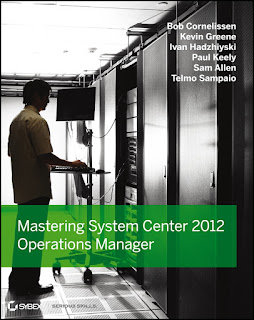
We had a target of 250 downloads to reach and eventually a few weeks ago we hit that target. Due to work commitments (and authoring another book), I've been 'slightly' delayed in announcing the winners of the competition!
To pick the winners, I used the same method that Hans Vredevoort had on his excellent Hyper-V.nu blog a while back and asked my eldest son to pick two numbers from the full list of entrants that I had collated together into an Excel spread-sheet.
The result of his picks mean that Reidar Johansen...
 and Stanislav Zhelyazkov are the two lucky winners.

Well Done Guys!
If you didn't win, I'd still highly recommend that you get your hands on the hard copy of the book from here or the e-copy from here. Adding it to your technical library will do you no harm at all if you're serious about System Center 2012 and want to ramp up your SCOM 2012 knowledge.
I'll be in touch shortly with the two winners and a massive THANK YOU to everyone who participated in boosting System Center 2012 awareness and evaluating it in their environments.

We had a target of 250 downloads to reach and eventually a few weeks ago we hit that target. Due to work commitments (and authoring another book), I've been 'slightly' delayed in announcing the winners of the competition!
To pick the winners, I used the same method that Hans Vredevoort had on his excellent Hyper-V.nu blog a while back and asked my eldest son to pick two numbers from the full list of entrants that I had collated together into an Excel spread-sheet.
The result of his picks mean that Reidar Johansen...


Well Done Guys!
If you didn't win, I'd still highly recommend that you get your hands on the hard copy of the book from here or the e-copy from here. Adding it to your technical library will do you no harm at all if you're serious about System Center 2012 and want to ramp up your SCOM 2012 knowledge.
I'll be in touch shortly with the two winners and a massive THANK YOU to everyone who participated in boosting System Center 2012 awareness and evaluating it in their environments.
Monday, April 29, 2013
SCOM - Update to MPViewer Tool (Version 2.2.2)
If you've been reading this blog over the last few months, you might have noticed a post that I did called: SCOM - Essential Community MPs, Scripts & Tools to Enhance Your Deployments. In this post I mentioned some excellent free tools developed originally by Microsoft's Boris Yanushpolsky that form a part of nearly every SCOM deployment I work on. I also mentioned that these tools received an overhaul by Microsoft's Daniele Muscetta to make them compatible with SCOM 2012.

News just in is that Daniele has given the MPViewer tool an update to resolve some bug issues and if you haven't used this tool yet, then I'd highly recommend downloading it along with the OverrideExplorer and Proxy Settings ones. They'll save you a heap of time in the long run with your SCOM troubleshooting and deployments.
Check out the download link to these tools here: Boris’s OpsMgr Tools – Updated

News just in is that Daniele has given the MPViewer tool an update to resolve some bug issues and if you haven't used this tool yet, then I'd highly recommend downloading it along with the OverrideExplorer and Proxy Settings ones. They'll save you a heap of time in the long run with your SCOM troubleshooting and deployments.
Check out the download link to these tools here: Boris’s OpsMgr Tools – Updated
Tuesday, April 23, 2013
Windows Server & System Center MVP Pro Speaker Series Kicks Off This Week!
This week sees the beginning of an excellent series of FREE online speaker events being led by Microsoft. There will be different sessions each week and the content will vary depending on the speaker but will all revolve around Windows Server and System Center 2012.

I can't wait to watch these sessions as I understand that some of them will be content that didn't quite make the final cut of presentations at MMS 2013 but will now be given the run they deserve online.
This MVP Speaker Series is open to everyone and if you can't watch the sessions live, then don't worry - they'll all be made available for download as offline viewing material.
Check out these links for more information:
Windows Server/System Center MVP Speaker Series Starting This Week!
Announcement: Special Windows Server/System Center MVP Speaker Series presentation taking place on Thursday 4/25/13

I can't wait to watch these sessions as I understand that some of them will be content that didn't quite make the final cut of presentations at MMS 2013 but will now be given the run they deserve online.
This MVP Speaker Series is open to everyone and if you can't watch the sessions live, then don't worry - they'll all be made available for download as offline viewing material.
Check out these links for more information:
Windows Server/System Center MVP Speaker Series Starting This Week!
Announcement: Special Windows Server/System Center MVP Speaker Series presentation taking place on Thursday 4/25/13
Thursday, March 28, 2013
OpsMgr 2012 Unleashed Book
I've just arrived home from the commute to work today (still can't believe it's snowing at the end of March!) and found that this had arrived by post for me

As someone who has been working on pretty much nothing else but SCOM/OpsMgr for the past 3 years, the two previous versions of this book - System Center Operations Manager 2007 Unleashed and System Center Operations Manager 2007 R2 Unleashed - played a massive role in helping me understand how to deploy and administer this complex monitoring and management tool.
When I heard that the latest version for SCOM 2012 was available for pre-order months ago, I wasted no time in getting out the credit card and purchasing it in both 'dead-tree' and then kindle formats. This blog post isn't a review of the book in any way, shape or form but simply just some quick observations along with some advice to anyone out there who's working on SCOM.
The book is a massive 1500 pages of front-to-back content that gives you expert tips and advice in every chapter. As someone who has tried their hand at writing a SCOM 2012 book that came close to 700 pages, I can assure you it's no mean feat to put together this amount of good high-level content.
When you check out the members of the authoring team whose efforts combined to bring us this book, it's a "who's who" of the SCOM and System Center world:
Lead Authors
Kerrie Meyler - System Center Cloud and Datacenter MVP
Cameron Fuller - System Center Cloud and Datacenter MVP
John Joyner - System Center Cloud and Datacenter MVP
With
Pete Zerger - System Center Cloud and Datacenter MVP
Jonathan Almquist - Scomskills.com
Alex Fedotyev - AppDynamics.com
Scott Moss - System Center Cloud and Datacenter MVP
Oskar Landman - System Center Cloud and Datacenter MVP
Marnix Wolf - System Center Cloud and Datacenter MVP
Technical Editor
Kevin Holman - Microsoft TSP (owner of probably the best SCOM blog on the internet!)
So with this kind of SCOM authoring firepower bursting out of the 1500 pages, I don't even need to read through this book to tell you that it's a quality resource that you absolutely have to add to your library if you're serious about SCOM.
Side Note (and slight groupie story...)
I've just noticed that a link to one of my posts on SCOM 2012 APM got a mention and plug in the "General Resources" section of the OpsMgr 2012 Unleashed book and wanted to say a huge and sincere THANK YOU to whoever it was from the writing team above that took the time to read over my post and feel it worthy of a mention. It wasn't that long ago that I attended MMS 2011 and won a signed copy of the OpsMgr 2007 R2 Unleashed book from Cameron Fuller whilst attending (what still is so far for me) the most fun and interesting SCOM presentation I've ever seen. Reading that book on the plane back to Dublin, I never thought a few years later I'd have a mention in it's successor and it's an honour to be included.

As someone who has been working on pretty much nothing else but SCOM/OpsMgr for the past 3 years, the two previous versions of this book - System Center Operations Manager 2007 Unleashed and System Center Operations Manager 2007 R2 Unleashed - played a massive role in helping me understand how to deploy and administer this complex monitoring and management tool.
When I heard that the latest version for SCOM 2012 was available for pre-order months ago, I wasted no time in getting out the credit card and purchasing it in both 'dead-tree' and then kindle formats. This blog post isn't a review of the book in any way, shape or form but simply just some quick observations along with some advice to anyone out there who's working on SCOM.
The book is a massive 1500 pages of front-to-back content that gives you expert tips and advice in every chapter. As someone who has tried their hand at writing a SCOM 2012 book that came close to 700 pages, I can assure you it's no mean feat to put together this amount of good high-level content.
When you check out the members of the authoring team whose efforts combined to bring us this book, it's a "who's who" of the SCOM and System Center world:
Lead Authors
Kerrie Meyler - System Center Cloud and Datacenter MVP
Cameron Fuller - System Center Cloud and Datacenter MVP
John Joyner - System Center Cloud and Datacenter MVP
With
Pete Zerger - System Center Cloud and Datacenter MVP
Jonathan Almquist - Scomskills.com
Alex Fedotyev - AppDynamics.com
Scott Moss - System Center Cloud and Datacenter MVP
Oskar Landman - System Center Cloud and Datacenter MVP
Marnix Wolf - System Center Cloud and Datacenter MVP
Technical Editor
Kevin Holman - Microsoft TSP (owner of probably the best SCOM blog on the internet!)
So with this kind of SCOM authoring firepower bursting out of the 1500 pages, I don't even need to read through this book to tell you that it's a quality resource that you absolutely have to add to your library if you're serious about SCOM.
Side Note (and slight groupie story...)
I've just noticed that a link to one of my posts on SCOM 2012 APM got a mention and plug in the "General Resources" section of the OpsMgr 2012 Unleashed book and wanted to say a huge and sincere THANK YOU to whoever it was from the writing team above that took the time to read over my post and feel it worthy of a mention. It wasn't that long ago that I attended MMS 2011 and won a signed copy of the OpsMgr 2007 R2 Unleashed book from Cameron Fuller whilst attending (what still is so far for me) the most fun and interesting SCOM presentation I've ever seen. Reading that book on the plane back to Dublin, I never thought a few years later I'd have a mention in it's successor and it's an honour to be included.
Thursday, March 21, 2013
New MSFT Blog To Help Keep Your Feet On the Ground and Head In The Clouds
For the last few years everyone has been talking about 'the cloud' and what it means for their businesses. Depending on where you look or who you talk to, you may well get A LOT of different versions of what exactly 'the cloud' is.

As I work primarily in the Microsoft space, I'm really only concerned about what 'the cloud' means from their perspective and I just had to write up this blog post to tell people about a new Microsoft blog called 'In The Cloud'. This blog is headed up by non other than Microsoft's Corporate VP Brad Anderson and it's aim is to help us all understand what the cloud means from the Microsoft side and where they're going to take us with this journey.
The blog has just been launched in the last couple of weeks and already Brad has some interesting posts up there that are worth taking a look over as a taste of what's to come. I'd expect as we get closer to MMS 2013 and TechEd 2013 that there will be a plethora of great information added and if Brad and his team maintain the content here, it could well become one of the most popular blogs around on MSFT Cloud.
Along with the new blog, Brad has taken the plunge and (very bravely) joined Twitter to help get his views across and information out there. If you're on Twitter and interested in Microsoft cloud technologies, then this is an account that you'll definitely want to follow and if you're not on Twitter, then I'd recommend adding the RSS feed for the blog to your Inbox to keep right up to date.
Check out the blog and Twitter account from these links:
'In The Cloud' (Blog)
@InTheCloudMSFT (Twitter)
Thanks to Brad and the rest of the System Center and Windows Server team for getting us access to these new resources!
As I work primarily in the Microsoft space, I'm really only concerned about what 'the cloud' means from their perspective and I just had to write up this blog post to tell people about a new Microsoft blog called 'In The Cloud'. This blog is headed up by non other than Microsoft's Corporate VP Brad Anderson and it's aim is to help us all understand what the cloud means from the Microsoft side and where they're going to take us with this journey.
The blog has just been launched in the last couple of weeks and already Brad has some interesting posts up there that are worth taking a look over as a taste of what's to come. I'd expect as we get closer to MMS 2013 and TechEd 2013 that there will be a plethora of great information added and if Brad and his team maintain the content here, it could well become one of the most popular blogs around on MSFT Cloud.
Along with the new blog, Brad has taken the plunge and (very bravely) joined Twitter to help get his views across and information out there. If you're on Twitter and interested in Microsoft cloud technologies, then this is an account that you'll definitely want to follow and if you're not on Twitter, then I'd recommend adding the RSS feed for the blog to your Inbox to keep right up to date.
Check out the blog and Twitter account from these links:
'In The Cloud' (Blog)
@InTheCloudMSFT (Twitter)
Thanks to Brad and the rest of the System Center and Windows Server team for getting us access to these new resources!
Wednesday, March 13, 2013
Guest Blogger on TechNet UK - 10 Top Tips to Make OpsMgr 2012 Rock!
Recently, I was asked to create some content for a guest blogger slot on Microsoft's TechNet UK site and yesterday saw the post I wrote on some tips and best practice recommendations go live.
If you want to learn more and maybe pick up a few useful pointers to help you with your SCOM / OpsMgr 2012 deployments, then check out my post from the link below:
10 Top Tips to Make OpsMgr 2012 Rock!
Enjoy :)
If you want to learn more and maybe pick up a few useful pointers to help you with your SCOM / OpsMgr 2012 deployments, then check out my post from the link below:
10 Top Tips to Make OpsMgr 2012 Rock!
Enjoy :)
Subscribe to:
Posts (Atom)